
Spectati
Every library in one app.
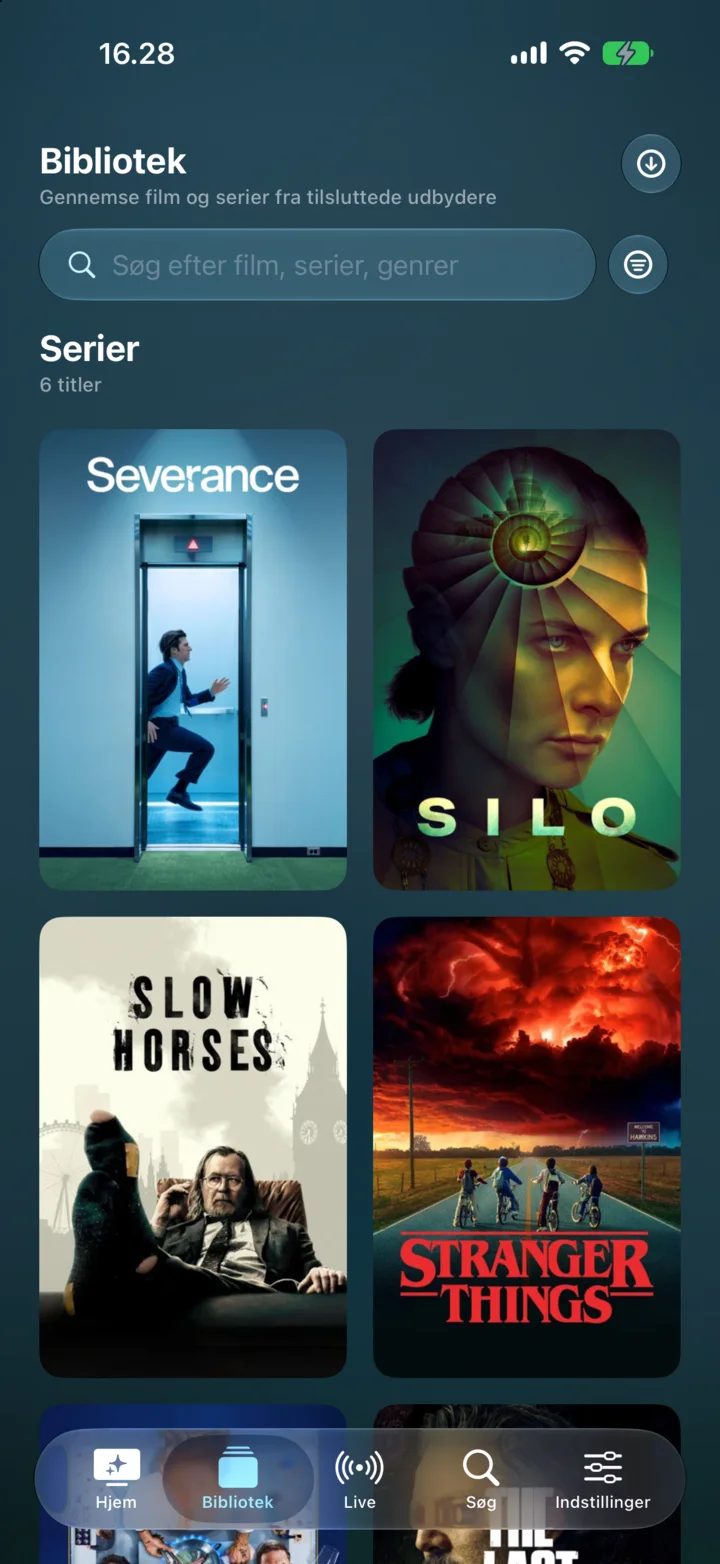
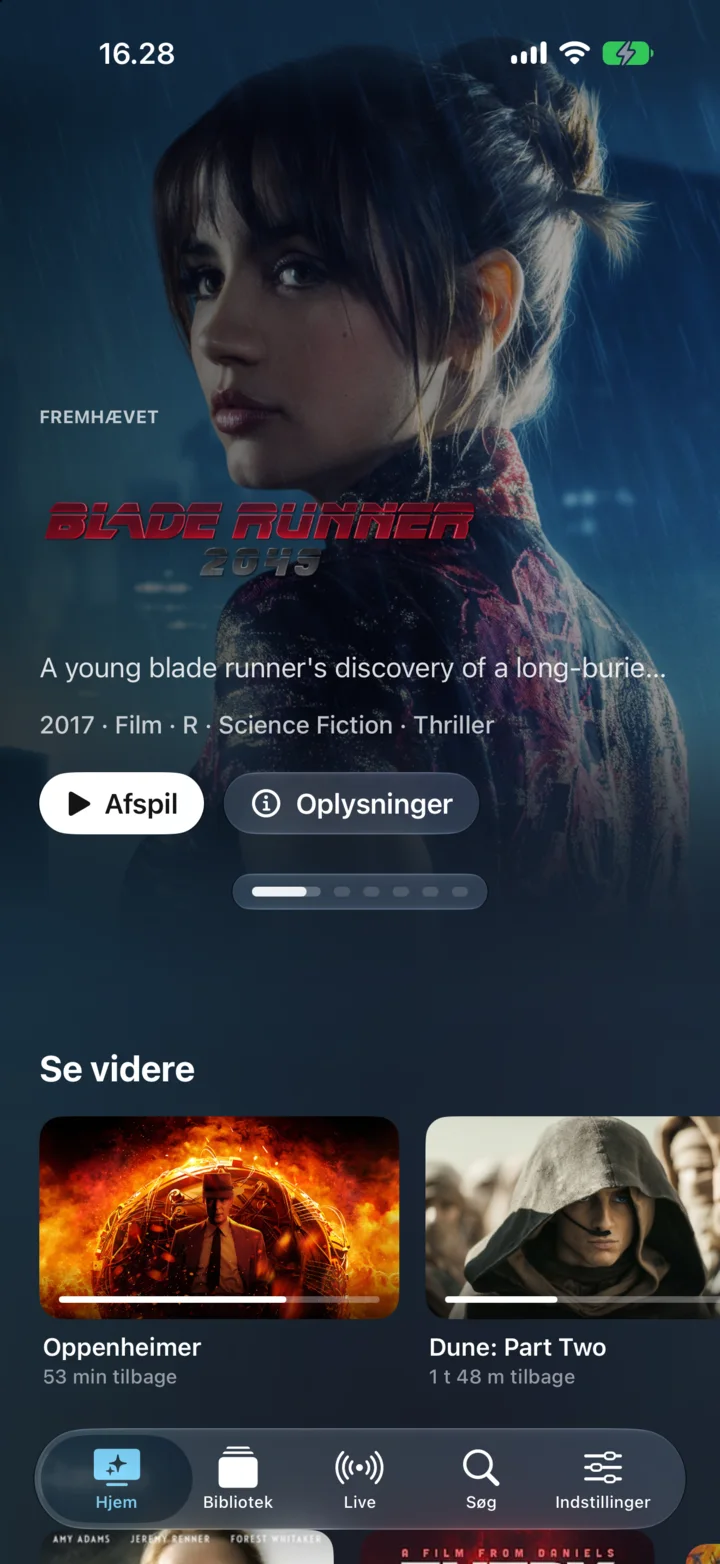
Spectati brings every Jellyfin server and every IPTV playlist into one native Apple app: deduplicated across sources, synced over iCloud, protected by profiles, and played back with real Dolby Vision and Atmos.
- Our role
- Product, design, code and operations
- Status
- Live· 2025
- Website
- spectati.com
- Built with
- Swift · SwiftUI · iOS · iPadOS · macOS · tvOS · iCloud
Two Jellyfin servers and an IPTV playlist mean three libraries, three search boxes and three places to resume the same film. Spectati lays them on top of each other, so which server a file lives on stops being your concern.
The problem
Most Jellyfin and IPTV clients are either a web page in an app shell or a port designed around a remote control from 2012. Neither is much fun on an Apple TV.
The approach
SwiftUI on iPhone, iPad, Mac and Apple TV, sharing one playback stack that hands Dolby Vision and Atmos to the hardware untouched, with no transcoding in between.
What runs today
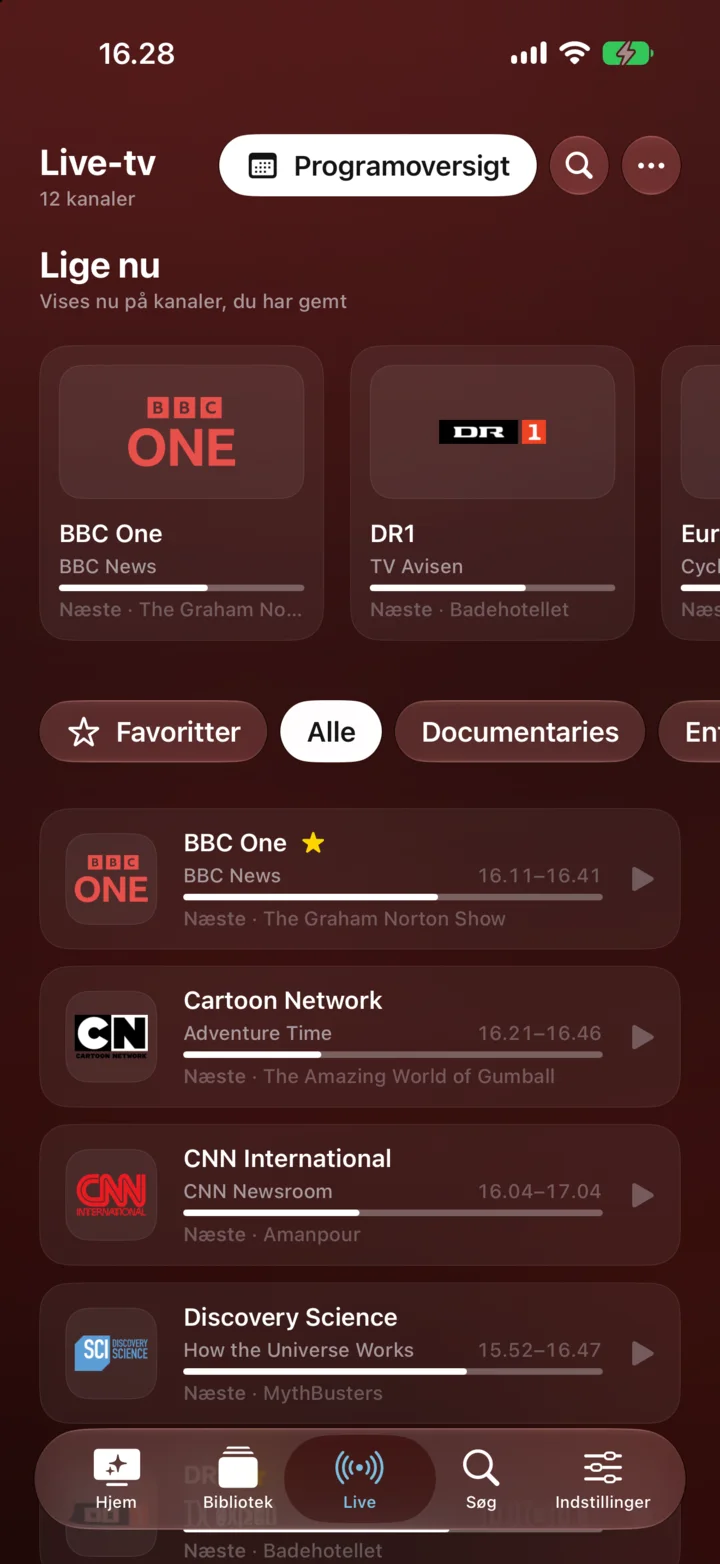
Deduplication across sources with automatic best-source selection, iCloud-synced history and favourites, PIN-protected profiles and a full live TV guide.
In the product
One entry per film
The same title on two servers becomes one entry, and the best source is picked for you.
iCloud sync
History, favourites and settings follow you to every Apple device you own.
Dolby Vision and Atmos
Native passthrough of Dolby Vision and Atmos, full HDR10 and HDR10+, and almost every codec you will meet.
Live TV
IPTV playlists with a channel list and programme guide, right beside the library.
Profiles and parental controls
PIN-protected profiles, age limits, and channels or providers hidden per profile.
Four platforms
One app, built natively for iPhone, iPad, Mac and Apple TV.
- platforms
- 4
- kinds of source
- 2
- sync
- iCloud
- passthrough
- DV + Atmos
Want something like this for your business?
Everything on this page was designed, built and is run by cavas. Tell us what your business needs, and you get a reply within a day and a written offer before any work starts.
Everything about the car, from the plate.
Read more